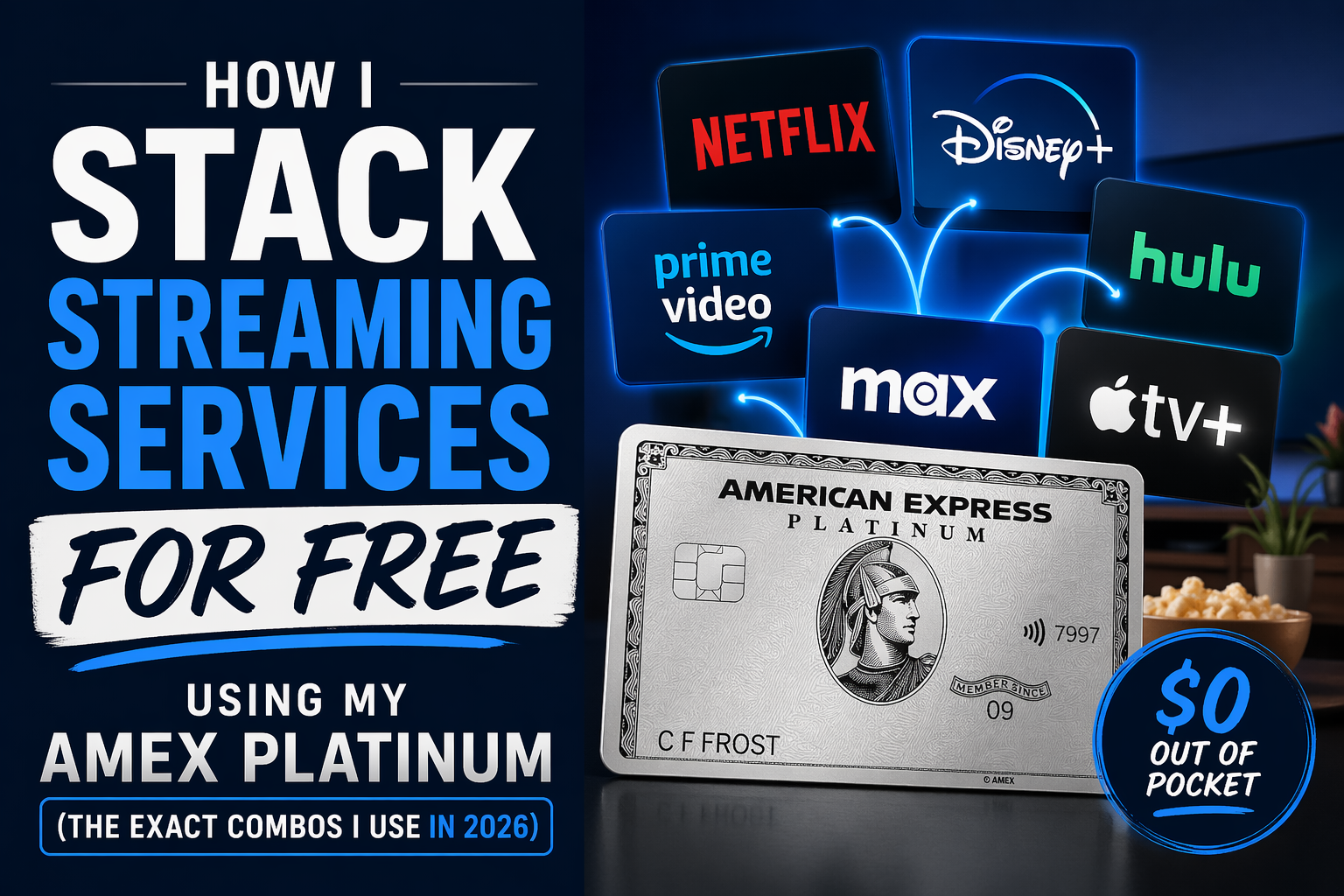
I’ll be honest — when I first got the Amex Platinum, I barely thought about the $25/month Digital Entertainment Credit. Lounge access? Yes. 5x on flights? Absolutely. But streaming credits? I kind of just set it and forgot it.
Then one afternoon I sat down and actually mapped out what I was spending on streaming. Disney+. Hulu. Peacock. YouTube Premium. Paramount+. It was embarrassing. I was hemorrhaging money every month on subscriptions I could have been getting for basically free.
After a couple hours of optimization, I now get five streaming services for $0 out of pocket every single month — and I haven’t changed what I watch at all. Here’s exactly how I do it, including the workarounds most Platinum cardholders completely miss.
Updated August 2026: American Express tightened the Peacock rules effective August 1, 2026 — the popular Peacock + Apple TV+ bundle no longer triggers the credit. I’ve updated the Apple TV+ section below with what still works and what doesn’t.
How the Amex Platinum Digital Entertainment Credit Works
The Amex Platinum gives Card Members up to $25 back each month, or $300 annually, on eligible subscriptions paid directly with select partners. Per Amex’s own published terms, the eligible services are: Disney+, a Disney+ bundle, ESPN streaming services, Hulu, The New York Times, Paramount+, Peacock, The Wall Street Journal, YouTube Premium, and YouTube TV. You can verify this directly on American Express’s official Credit Intel page for this benefit.
Yes, you can split the credit across different services in the same month, but the maximum monthly benefit is $25. Both your purchases and those made by any Additional Card Members apply to the same $25 monthly limit. In plain English: authorized users can trigger the credit, but everyone’s charges pull from the same $25 pool.
Before you do anything else: you must enroll. The credit is not automatic. Amex spells out the exact process on its site — log in to your Amex account, enroll in the $300 Digital Entertainment Credit benefit, wait up to 24 hours for enrollment to finalize before making digital entertainment purchases, charge all subscriptions for qualifying services to your Platinum Card, and get up to $25 back each month automatically in the form of a statement credit. Skip enrollment and you’ll get nothing back — I’ve seen people discover this mistake months in.
The 3 Rules You Can’t Break
- Rule #1 — Enroll first. The credit requires manual enrollment. Do it before you make any purchases.
- Rule #2 — Direct billing only. To trigger the credit, you must subscribe or purchase add-ons directly through each partner’s official site. If you subscribe through Apple’s App Store, Amazon Prime Channels, or Verizon, the charge goes to those intermediaries — not the streaming partner — and the credit will not trigger.
- Rule #3 — Monthly billing, not annual. Annual plan payments are not eligible for the monthly credit. Always choose monthly billing for any subscription you want to offset with this credit.
The Hidden First Layer: Your Free Streaming Service from Walmart+
Before we even touch the $25 Digital Entertainment Credit, there’s another Amex Platinum benefit that hands you a free streaming service every month — and most people don’t connect the dots.
The Amex Platinum reimburses your Walmart+ monthly membership fee. Per Walmart’s official Amex Platinum landing page, cardholders can use your US Consumer Platinum Card for a Walmart+ monthly membership and get $12.95 (plus applicable taxes) in statement credits each month. Credit only applicable to Walmart+ base monthly plan. That’s up to $155/year, effectively making Walmart+ free.
Here’s what Walmart+ comes with that matters for this strategy: a free streaming service — your choice of either Peacock Premium (with ads) OR Paramount+ Essential (with ads). With the new Video Streaming Choice benefit, Walmart+ members can select either Paramount+ Essential or the recently added Peacock Premium. Starting September 15, 2025, members can select between either service and switch every 90 days, allowing them to tailor their viewing experience.
Two important notes: you need to sign up for the monthly Walmart+ plan (not annual) to get the credit, and you need to activate the streaming benefit separately inside your Walmart+ account hub. Once you do, this is streaming service #1 — completely $0 out of pocket.
I personally chose Peacock Premium here, which keeps my $25 entertainment credit free to use on other services. If you’re more of a Paramount+ person, grab that one through Walmart+ instead and use the entertainment credit to upgrade to Paramount+ Premium (ad-free) for just $5.49/month extra — still a deal.

The $25 Credit Combos: Pick Your Stack
Now here’s where it gets fun. With Peacock or Paramount+ already covered by Walmart+, you have a clean $25/month to work with. Below are the four combos I’ve personally tested and rotate between. Each one stacks on top of your free Walmart+ streaming to give you 4–5 total services for $0.
🏆 Combo 1: The Disney Triple Play (My Personal Favorite)
The Disney+, Hulu, ESPN Select Bundle costs $19.99/month — a price you can confirm directly on Disney+’s own pricing page, which lists it as Disney+, Hulu, ESPN Select Bundle (with ads) – $19.99/month. That’s fully covered by the $25 credit with $5.01 left over. You get three services in one shot: Disney+, Hulu (current-season TV, FX originals, Hulu originals), and ESPN+ (thousands of live sporting events, the full 30 for 30 library). That’s Disney, Pixar, Marvel, Star Wars, and Hulu’s entire catalog for literally nothing.
Add your free Walmart+ streaming (Peacock or Paramount+) and you’re at four services for $0/month. The leftover $5.01 in credit can roll into a discounted New York Times or Wall Street Journal intro offer — both are eligible for the credit and often run promos for $1–$4/month.
Want to level up? Per Disney’s plan page, the Disney+, Hulu, ESPN Unlimited Bundle (with ads) – $35.99/month adds all ESPN linear TV channels, not just ESPN+. You’d pay $10.99 out of pocket, but you’re getting every ESPN network — worth it for the die-hard sports fan.
🎬 Combo 2: The Disney + HBO Max Bundle
If you don’t need ESPN but you do want HBO Max, Disney has a bundle for that too. Direct from Hulu’s official bundle page: Disney+, Hulu, HBO Max Bundle (With Ads) for $19.99/month, a savings of $14.98 per month. This plan includes Disney+, Hulu, and HBO Max all with ads. That’s fully covered by your $25 credit. You get Disney+, Hulu, and HBO Max (HBO originals, DC, Warner Bros. films, A24 titles, the works) for $0/month.
Want it ad-free? Per the same page, Disney+, Hulu, HBO Max Bundle (No Ads) for $32.99/month, a savings of $23.48 per month. You’d pay $7.99 out of pocket for an entirely ad-free experience across Disney+, Hulu, and HBO Max. That’s not a bad deal either.
Stack this with Walmart+ Peacock or Paramount+ and you’ve got four services covered, two of which are from the Walmart+ benefit alone. This is the combo I run during prestige TV season.
🍎 Combo 3: The Apple TV+ Backdoor — Officially Closed (August 1, 2026)
This was one of the sharpest tricks in the Platinum playbook — but Amex quietly shut it down. Apple TV+ is not on the list of eligible Amex Digital Entertainment services. For most of 2026, cardholders exploited the fact that Peacock offered an official Apple TV+ + Peacock Premium bundle for $14.99/month, billed by Peacock. Because Peacock was an eligible partner and the bundle showed up as a Peacock charge, the credit fired on the full $14.99 — effectively giving you Apple TV+ for free.
That workaround no longer works. Per The Points Guy’s reporting on the updated benefit terms: Beginning Aug. 1, 2026, some Peacock subscriptions will no longer qualify for the card’s up to $25 in monthly digital entertainment statement credit (enrollment required). Under updated benefit terms from American Express, Peacock bundled subscriptions, add-on services and subscriptions purchased through third parties will no longer be eligible for the credit.
Amex’s updated Peacock language, as reported by industry sites tracking the change, is specific: Eligible purchases for Peacock only include standalone Peacock subscriptions, for example, Peacock Premium, Peacock Premium Plus, and Peacock Select, purchased directly at www.peacocktv.com. Eligible purchases do not include add-on subscriptions sold by Peacock, subscriptions bundled with cable services or other third-party services.
What that means for you:
- Standalone Peacock still works. Stand-alone Peacock subscriptions purchased directly from Peacock will continue to qualify for the benefit, assuming they otherwise meet the card’s terms. Peacock Premium (with ads) is $10.99/month direct from Peacock — the credit fires as it always has.
- The Apple TV+ bundle is dead. If you were paying the $14.99/month Peacock + Apple TV+ bundle to score Apple TV+ for free, that charge no longer triggers the credit starting August 1, 2026. Switch to standalone Peacock and pay for Apple TV+ separately if you want it.
- Best alternative: Grab Peacock Premium via your free Walmart+ benefit (covered above), use your full $25 Digital Entertainment Credit on a Disney bundle, and pay Apple TV+ out of pocket if you really want it. It’s the cleanest post-change stack.
This is exactly why I lean hard on keeping a diversified premium credit card stack — when one issuer changes a rule, another benefit usually picks up the slack. For a broader look at how I balance benefits across multiple cards, see my 2026 credit card stack breakdown.


Before you book: check the award space
Search millions of award seats across airlines, and get alerts when the flights you want become available.


 +80
+80Free to search · alerts are paid · partner link
📺 Combo 4: The YouTube Premium Play
This one is simple and underrated. YouTube Premium’s individual plan is now $15.99/month after Google’s mid-2026 price hike. Per Quartz: The YouTube Premium individual plan will rise from $13.99 to $15.99 a month. The family plan, which covers up to six accounts, climbs from $22.99 to $26.99 a month. YouTube Premium Lite, the stripped-down tier that removes ads from most videos but leaves out music content, offline saving, and background playback, will tick up a dollar to $8.99 a month. The price increase, which Google initially introduced for new users in April, eliminates the temporary grace period for older accounts beginning June 7. At $15.99, it’s still fully covered by your $25 credit with $9.01 to spare.
What do you get? Ad-free YouTube across every device, background play, offline downloads, and a full YouTube Music Premium subscription. For anyone who watches a significant amount of YouTube (and that’s most of us at this point), this is a no-brainer. The ad experience on YouTube has gotten brutal — mid-roll interruptions, longer un-skippable spots, the works. Paying $15.99 to eliminate all of that and getting it fully credited back is genuinely one of the best values on this card.
With $9.01 remaining, you can stack something else: Peacock Premium ($10.99/month with ads — you’d pay $1.98 out of pocket), or an intro-offer NYT Digital subscription. Add your Walmart+ streaming and you’re at three services for $0, with YouTube Premium being the real star of the show.
👨👩👧👦 Combo 5: The Family Plan Money Move
This is the combo that genuinely made my jaw drop when I ran the math. The YouTube Premium Family plan covers up to 6 people and costs $26.99/month — up from $22.99 after the 2026 price increase. After your $25 credit, you pay just $1.99/month out of pocket — for six ad-free YouTube accounts, each with background play, downloads, and YouTube Music.
If you split that with a partner or family members, you’re each paying well under $1/month for YouTube Premium. Even if you eat the full $1.99 yourself, that’s one of the cheapest ways to keep five other people happy. One important caveat from YouTube’s own family plan rules: Family is $26.99 a month for up to six accounts at the same residential address — everyone has to be in the same household to comply with YouTube’s terms. Add Walmart+ streaming and everyone in the house has coverage.
Side-by-Side Comparison: Which Combo Is Right for You?
| Combo | What You Get | Monthly Cost | After $25 Credit | Best For |
|---|---|---|---|---|
| 🏆 Disney Triple Play | Disney+, Hulu, ESPN+ | $19.99 | $0 (+ $5.01 leftover) | Families, sports fans, cord-cutters |
| 🎬 Disney + HBO Max | Disney+, Hulu, HBO Max | $19.99 | $0 (+ $5.01 leftover) | Prestige TV fans, movie lovers |
| 🍎 Apple TV Backdoor | — | — | Closed by Amex — see Combo 3 notes | |
| 📺 YouTube Premium | Ad-free YouTube + YT Music | $15.99 | $0 (+ $9.01 leftover) | Heavy YouTube users |
| 👨👩👧👦 Family Plan Move | YouTube Premium for 6 people | $26.99 | $1.99 | Families splitting the cost |
All combos above stack with the free Walmart+ streaming benefit (Peacock Premium OR Paramount+ Essential). Prices verified against Disney+, Hulu, YouTube, and Amex’s own published sources as of August 2026.
Earning the points is the easy part. Finding somewhere worth spending them is where most balances sit untouched for years. Search award space on Seats.aero to see what your balance books right now.
What that balance actually books
Earning the points is the easy part. Whether they turn into a seat depends on flight award space, which no transfer chart or earning guide will tell you. Seats.aero searches every major program at once so you can see what your balance books on real dates.
My Actual Current Setup (Updated August 2026)
In case you’re curious, here’s exactly what I’m running right now:
- Walmart+ ($12.95/month → $0 after Amex credit): Peacock Premium with ads. I use this for NFL Sunday Night Football, Premier League, and The Traitors.
- $25 Entertainment Credit → Disney+/Hulu/HBO Max Bundle ($19.99/month → $0): I switched from ESPN+ to HBO Max recently because the new season of The White Lotus dropped and the back catalog on HBO is unbeatable. I still have $5.01 leftover every month that I put toward NYT Digital at their current promo rate.
- Running total: Disney+, Hulu, HBO Max, Peacock, NYT Digital — five services — for roughly $0/month.
Previously I rotated to the Apple TV+ backdoor combo during Formula 1 season, but with Amex closing that loophole on August 1, 2026, I’m now paying for Apple TV+ out of pocket during F1 months and eating the ~$12.99/month rather than trying to route it through Peacock. If Apple TV+ ever gets added to the eligible list directly, I’ll update this section.
Does the $895 Annual Fee Still Make Sense?
Yes, the Amex Platinum’s annual fee is now $895 — a number The American Express Platinum Card® is a top-tier premium travel rewards card with a $895 annual fee confirmed by TPG and multiple other outlets tracking the 2025 refresh. That’s a lot. But when you actually add up the statement credits on this card, it becomes a different conversation entirely.
Just from the streaming angle alone, you’re looking at $300/year in Digital Entertainment Credits + $155/year in Walmart+ Credits = $455/year in streaming value. That’s more than half the annual fee recovered just from not overpaying for Netflix alternatives.
Layer in the $200 Uber Cash, $200 Airline Fee Credit, $600 Hotel Credit (through Fine Hotels + Resorts or The Hotel Collection), Centurion Lounge access, Global Entry/TSA PreCheck credit, and the rest of the 2026 credit stack — and the potential annual value exceeds $3,500. The key is actually using the credits.
If you’re weighing the Platinum against other premium cards, it’s worth comparing head-to-head with the Chase Sapphire Reserve at $795, and if you’re interested in maximizing the full credit portfolio, check out my 2026 credit card stack — I break down exactly which cards I actually keep in my wallet and why.
What to Watch Out For
- Peacock bundles no longer qualify. Effective August 1, 2026, only standalone Peacock plans purchased at peacocktv.com trigger the credit. Any Peacock + Apple TV+, Peacock + [anything] bundle, or Peacock purchased through a third party is out.
- Annual billing kills the credit. If you pay annually for Disney+ or YouTube Premium, the single lump-sum charge may exceed your $25 monthly cap or may not be credited at all. Always choose monthly billing for any subscription you want to offset.
- Don’t double-dip Peacock and Paramount+ on the credit. You get one of them free through Walmart+. Only pay for the other one with the entertainment credit if you genuinely need both — otherwise you’re wasting credit dollars.
- Authorized users share the $25 cap. Both your purchases and those made by any Additional Card Members apply to the same $25 monthly limit. Coordinate who charges what to avoid capping out early in the month.
- HBO Max is not directly eligible on its own — only as part of a Disney bundle. Subscribing to HBO Max standalone won’t trigger the credit. Stick to the Disney+/Hulu/HBO Max bundle option.
Frequently Asked Questions
What streaming services are eligible for the Amex Platinum entertainment credit?
Per Amex’s own current terms, eligible services include: Disney+, a Disney+ bundle, ESPN streaming services, Hulu, The New York Times, Paramount+, Peacock, The Wall Street Journal, YouTube Premium, and YouTube TV. Apple TV+, Netflix, Amazon Prime Video, and HBO Max (standalone) are not directly eligible.
Can I use the Amex Platinum credit for Apple TV+?
No — and the workaround has been closed. Apple TV+ is not on the eligible list, and as of August 1, 2026, the Peacock + Apple TV+ bundle also no longer qualifies. Stand-alone Peacock subscriptions purchased directly from Peacock will continue to qualify for the benefit, but bundled plans that include Apple TV+ will not. If you want Apple TV+, you’ll need to pay for it out of pocket.
Is the Amex Platinum entertainment credit $25 or $300?
It’s both — just structured differently. The Amex Platinum Digital Entertainment Credit gives Card Members up to $25 back each month, or $300 annually, on eligible subscriptions paid directly with select partners. It does not carry over month to month. If you only use $19.99 of it in March, the remaining $5.01 does not roll into April.
Does Walmart+ come with Peacock or Paramount+ in 2026?
Both — but only one at a time. Starting September 15, 2025, members can select between either service and switch every 90 days. Walmart+ members can choose either Peacock Premium (with ads) or Paramount+ Essential (with ads) at no extra cost. The Amex Platinum covers the $12.95/month Walmart+ membership fee, making the included streaming service effectively free.
How do I maximize the leftover credit after paying for a bundle?
If your primary bundle costs less than $25 (like the Disney Triple Play at $19.99), you have leftover credit each month. The best ways to use the remainder: sign up for The New York Times Digital or The Wall Street Journal at their current promo/introductory rate, which often runs $1–$5/month. Both are on the eligible list, and promo pricing makes them a great use of leftover credit dollars.
Does the YouTube Premium Family plan qualify for the Amex Platinum entertainment credit?
Yes — YouTube Premium (both individual and family plans) is eligible for the Digital Entertainment Credit when you subscribe directly through YouTube/Google. The family plan at $26.99/month is mostly covered, leaving just $1.99 out of pocket for up to six people in the same household. Subscribe at youtube.com/premium and pay with your Amex Platinum card.
Can I split the $25 credit across multiple streaming services in the same month?
Yes. You can split the credit across different services in the same month, but the maximum monthly benefit is $25. For example, if you pay $15.99 for YouTube Premium and $8.99 for YouTube Premium Lite for a family member, both charges would be credited up to the $25 cap in the same month.
Final Verdict: Set It Up This Weekend
The Amex Platinum’s Digital Entertainment Credit is one of those benefits that requires a tiny bit of upfront setup but then runs on autopilot and saves you real money every month. Between the $25 credit and the Walmart+ streaming benefit, you can lock in 4–5 services for essentially nothing — without changing what you watch.
My recommendation for most people: start with the Disney+/Hulu/HBO Max or Disney+/Hulu/ESPN Select bundle at $19.99 (covers three services, fully credited, $5 leftover), and grab either Peacock or Paramount+ through Walmart+ for free. If you’re a heavy YouTube user, swap to the YouTube Premium route. Just don’t try to route Apple TV+ through a Peacock bundle anymore — that door closed August 1, 2026.
Whatever combo you choose, make sure you’ve enrolled in the benefit first — that’s the one step people consistently skip. Do it today, pick your monthly billing plans, and watch the credits roll in.
Looking for more ways to offset the Amex Platinum annual fee? Check out our current transfer bonus guide to time your Membership Rewards transfers, or start with our complete Points & Miles Masterclass if you’re newer to the game — because combining the credit stack with smart points redemptions is where the real value lives.